 Decks
DecksiPhone
Follow the workflow below on your iPhone. Use the Mac notes for desktop-specific controls.
iPad
The same workflow applies on iPad. Editing controls may appear beside the canvas in a wide window instead of below it.
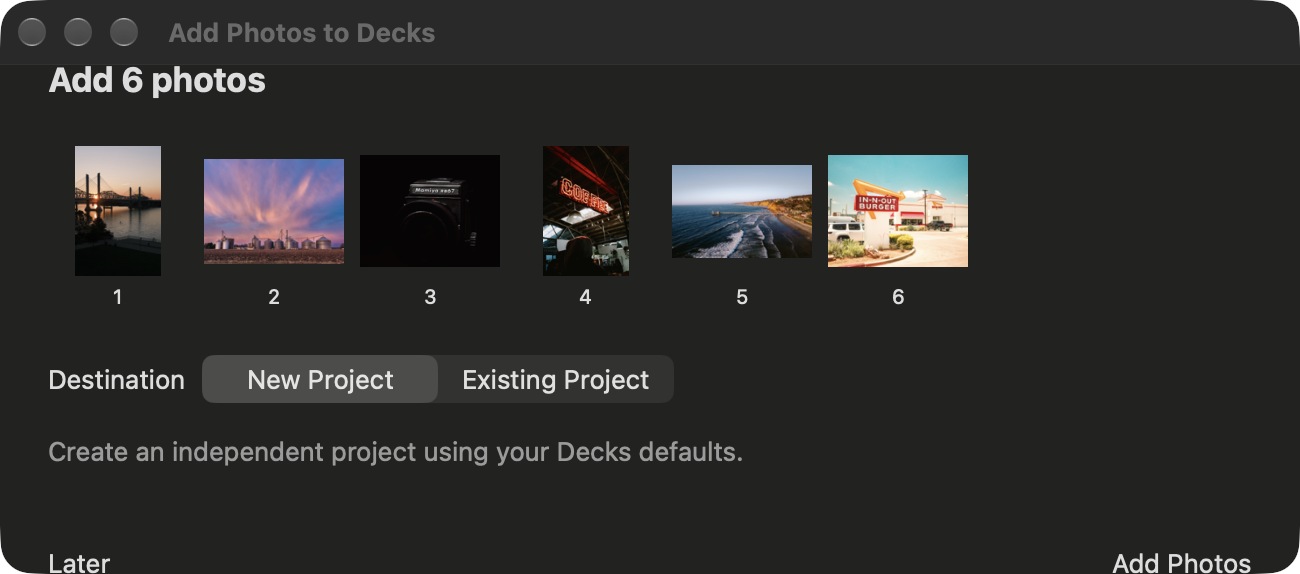
In Ingest, select still photographs and choose Send to Decks. Receive them in Decks for Mac, or use the supported sharing options for iPhone and iPad. Decks offers a new project or an existing project as the destination. Incoming Photos holds deferred and supported iCloud handoffs until you are ready.
Your Ingest originals stay in place. Use an Ingest version that supports your chosen handoff. See the Ingest handoff guide for current options.
Mac
Select photos in Ingest and choose Send to Decks. In the receiving window, choose New Project or Existing Project, select the project when needed, then choose Add Photos. Later keeps the batch for another time. If preparation fails, use Retry rather than resending the same batch immediately.